Maintain a strong reputation across every channel

For short-term rental property managers, guest reviews directly influence OTA algorithm rankings, listing visibility, and your ability to attract quality bookings. A strong review profile contributes to Airbnb Superhost status and Guest Favourite qualification. Manually managing review requests, responses and host submissions across Airbnb, Booking.com and your direct website is a time-consuming bottleneck. Homhero’s Review Management suite handles the full review lifecycle, from automated post-stay schedules and bulk host submissions to a portfolio-wide quality dashboard that tracks ratings and flags listing health issues.

Automated Review Schedules

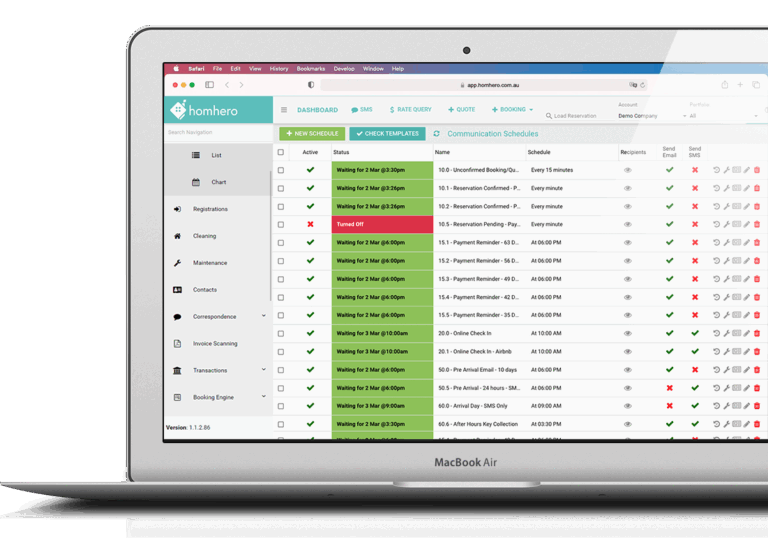
Homhero’s correspondence schedule engine automates review requests after departure, with star rating, booking source, and guest flag filters that fire the right message to the right guest within the 14-day Airbnb window.
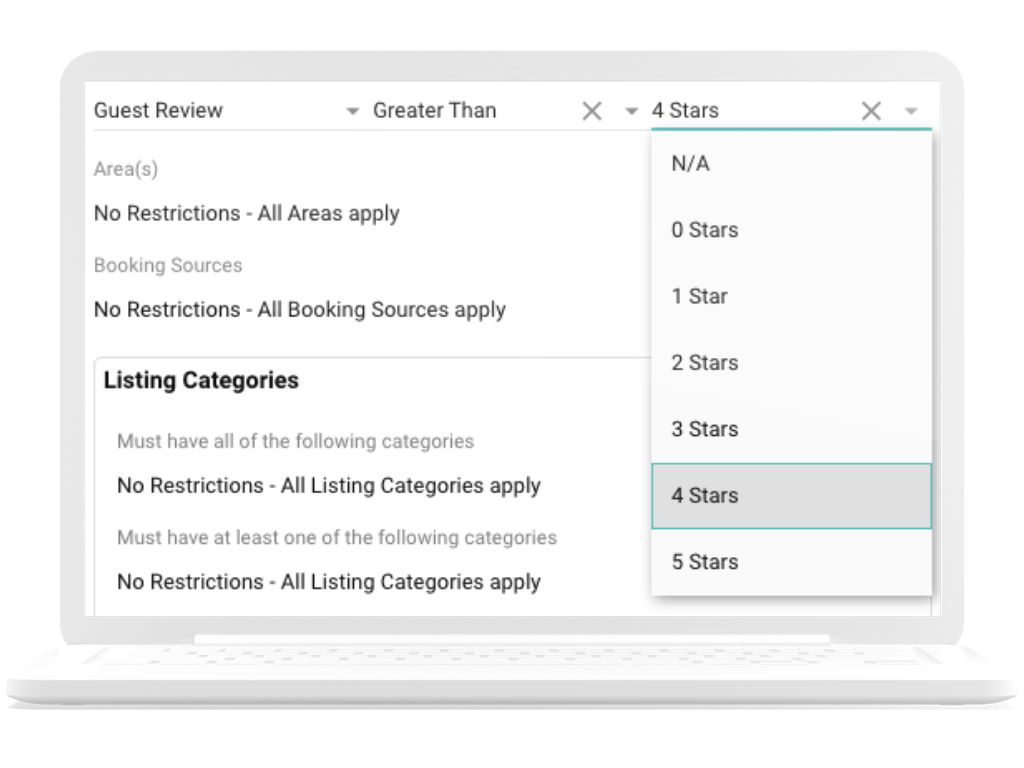
Configure schedules to fire a set number of days after a guest departs and submits a review. Apply a star rating filter so guests who leave 3 stars or above receive a follow-up request, while low-rated stays route an internal alert to your team instead.
Target specific channels within each schedule. Run a separate review request sequence for Airbnb guests and a different one for Booking.com, with tailored messaging and CTAs for each platform.
Build conditional follow-ups that reward satisfied guests. Automatically send a promo code for their next direct booking to any guest who leaves 4 stars or above, turning a positive review into a pipeline for your lowest-cost channel.
Flag a reservation as a Bad Guest from the booking screen. That reservation can be excluded from review requests using the filters within schedules and bulk host review submissions, so a positive review prompt is never accidentally sent to a guest you’d rather not engage with.

Airbnb Guest Reviews

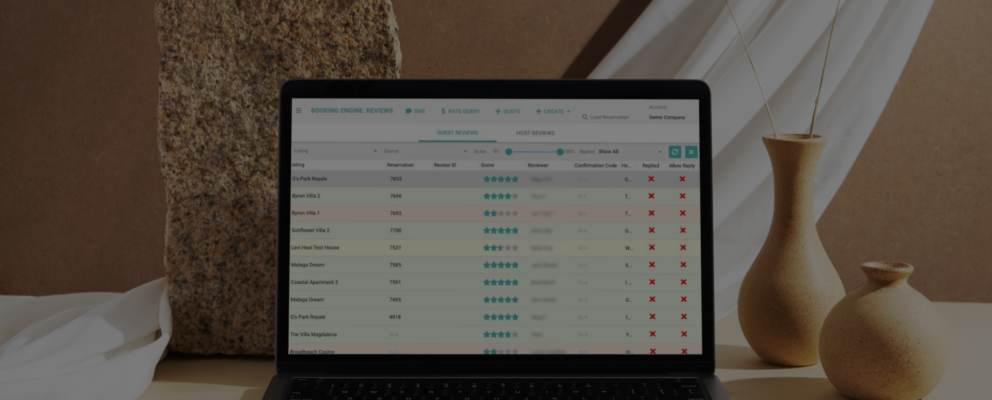
View and respond to every Airbnb guest review across your entire portfolio directly inside Homhero, with colour-coded scoring, per-listing drill-down, and advanced filtering by channel, score, and reply status.
All pending and completed Airbnb guest reviews are surfaced in a single view across your entire portfolio, so nothing slips through or expires unaddressed.
Reviews are colour-coded by score for fast visual triage: green for strong results, yellow for 3 stars or below, orange for 2 stars or below, and red for 1-star reviews. This lets your team prioritise responses at a glance without opening each review individually.
Filter your review inbox by listing, booking source, score range, and whether a review has already been replied to, so your team can quickly isolate unanswered feedback or monitor a specific property’s reputation over time.
A consistent history of strong reviews contributes to Airbnb Superhost status and Guest Favourite qualification, both of which improve discoverability in Airbnb search results. Homhero’s review tools help you build and maintain the review volume needed to stay competitive.

Bulk Host Reviews (Airbnb Only)

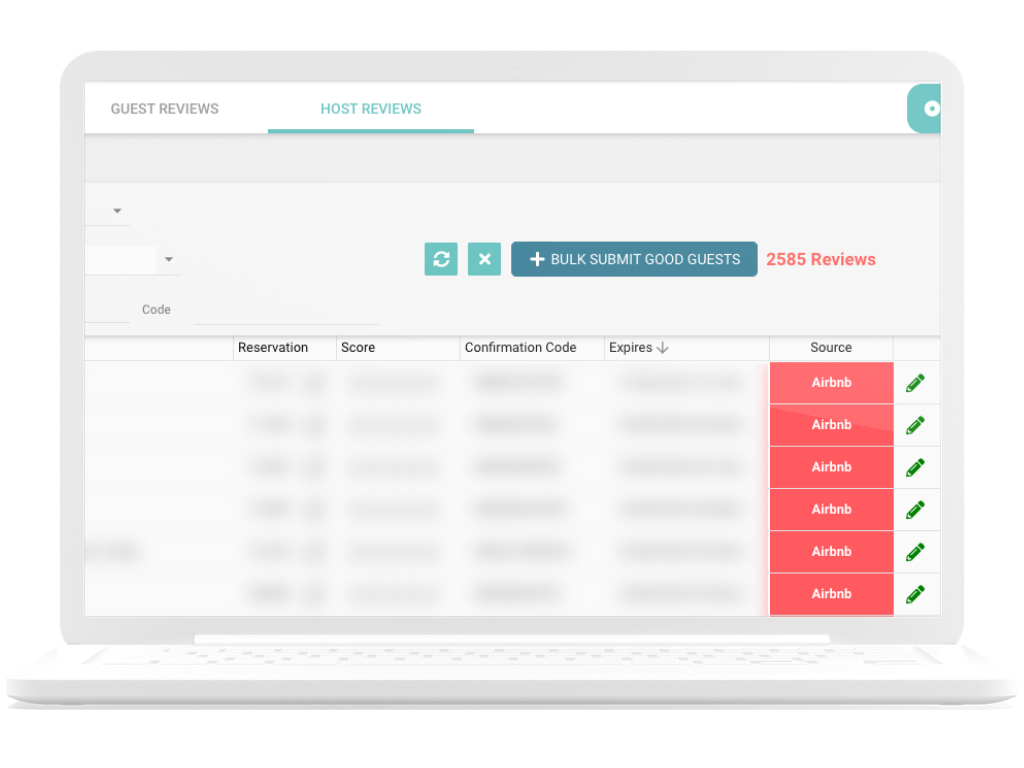
Replace one-by-one Airbnb host submissions with a single bulk action. Pre-built templates, AI-generated variations and automatic bad guest exclusion handle the process within the 14-day submission window.
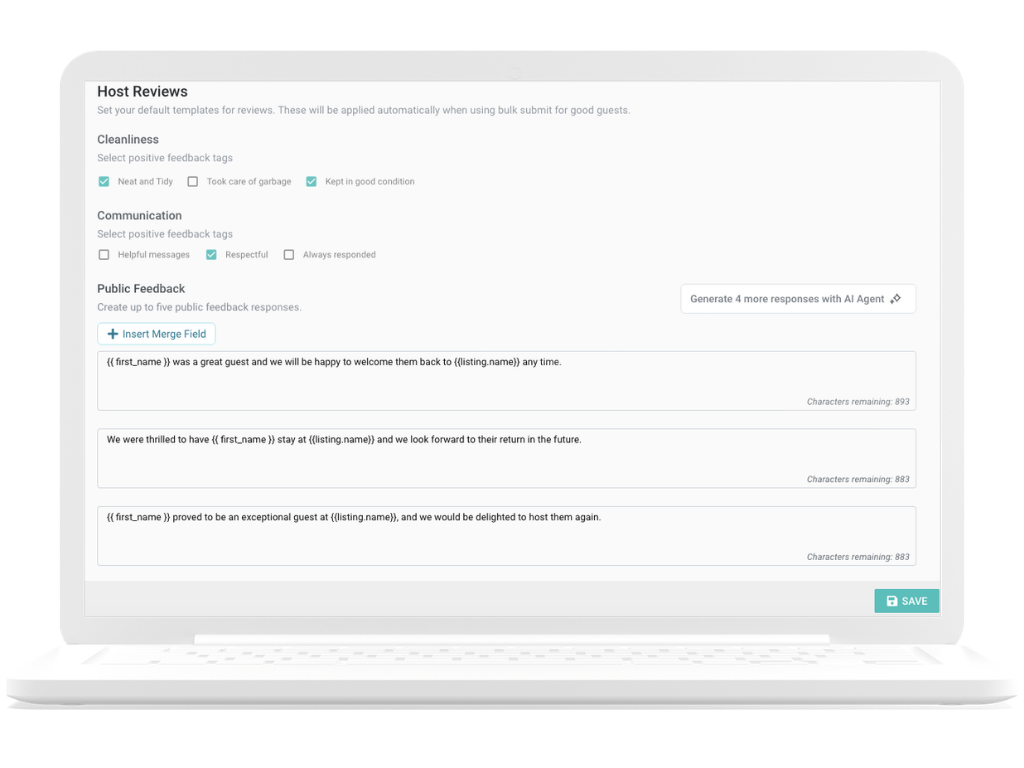
Set up default host review templates with pre-written public and private feedback, cleanliness tags and communication tags. Homhero randomly rotates between up to five response variations during bulk submissions to keep your reviews natural.
With the ChatGPT integration enabled, Homhero can generate four additional public and private feedback variations from a single base response, saving your team hours of writing time each month.
Pull the guest’s first name, property name, number of nights and other booking details directly into your review templates, so bulk-submitted reviews still read as considered feedback rather than boilerplate.
Any reservation flagged as a Bad Guest is automatically removed from the Bulk Submit Good Guests process. Flagged reservations are surfaced for manual review first, and the bulk submission proceeds only for the remaining good guests.

Booking.com Guest Reviews

Access and respond to all Booking.com guest reviews inside Homhero, with automatic score conversion to a 5-star scale so they sit alongside Airbnb and direct website feedback in one consistent view.
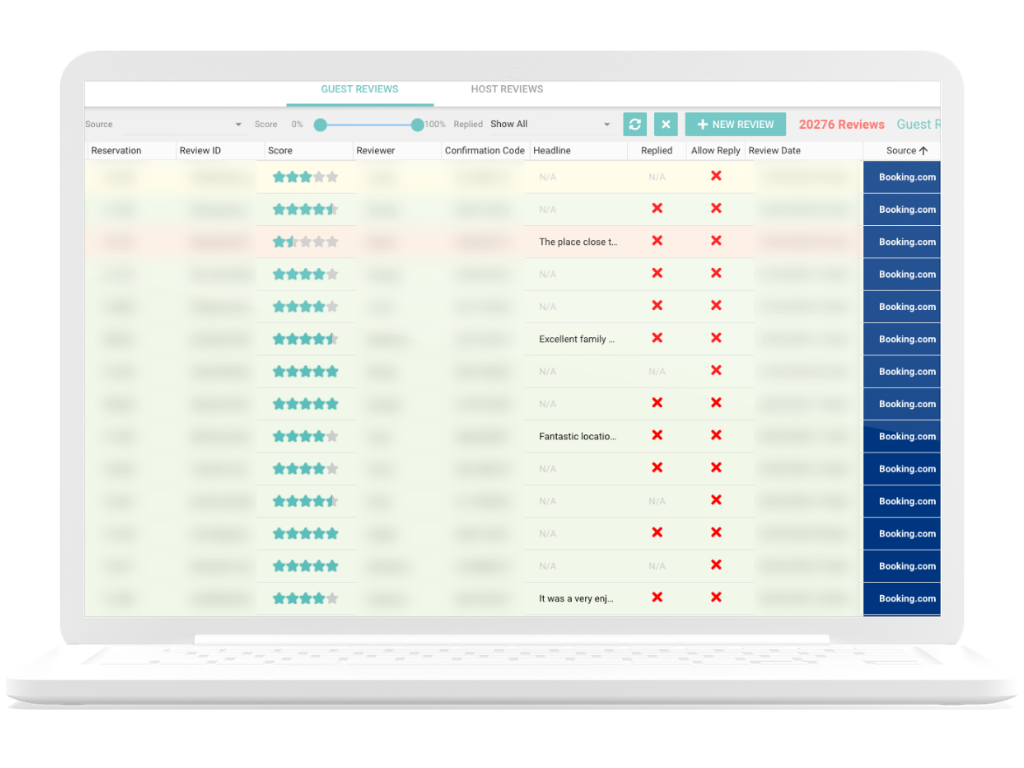
Access all Booking.com guest reviews inside Homhero without needing to log into the Booking.com extranet separately, keeping your team’s workflow consolidated in one place.
Booking.com rates guests on a scale of 1 to 10. Homhero automatically converts these scores to a 5-star equivalent so that Booking.com reviews sit alongside your Airbnb and direct website feedback in a single view.
Respond to Booking.com guest reviews directly from within Homhero, and your reply will feed through to the Booking.com platform. Note that if a guest has only submitted a numerical rating without a written review, Booking.com does not allow a host response.
Booking.com reviews appear alongside your Airbnb review data in your global review dashboard, giving you a consistent view of your reputation across channels without toggling between platforms.

Airbnb Quality Dashboard

A live view of how every Airbnb listing in your portfolio is tracking, from review scores and category breakdowns to listing quality status and alerts that could affect your search ranking.
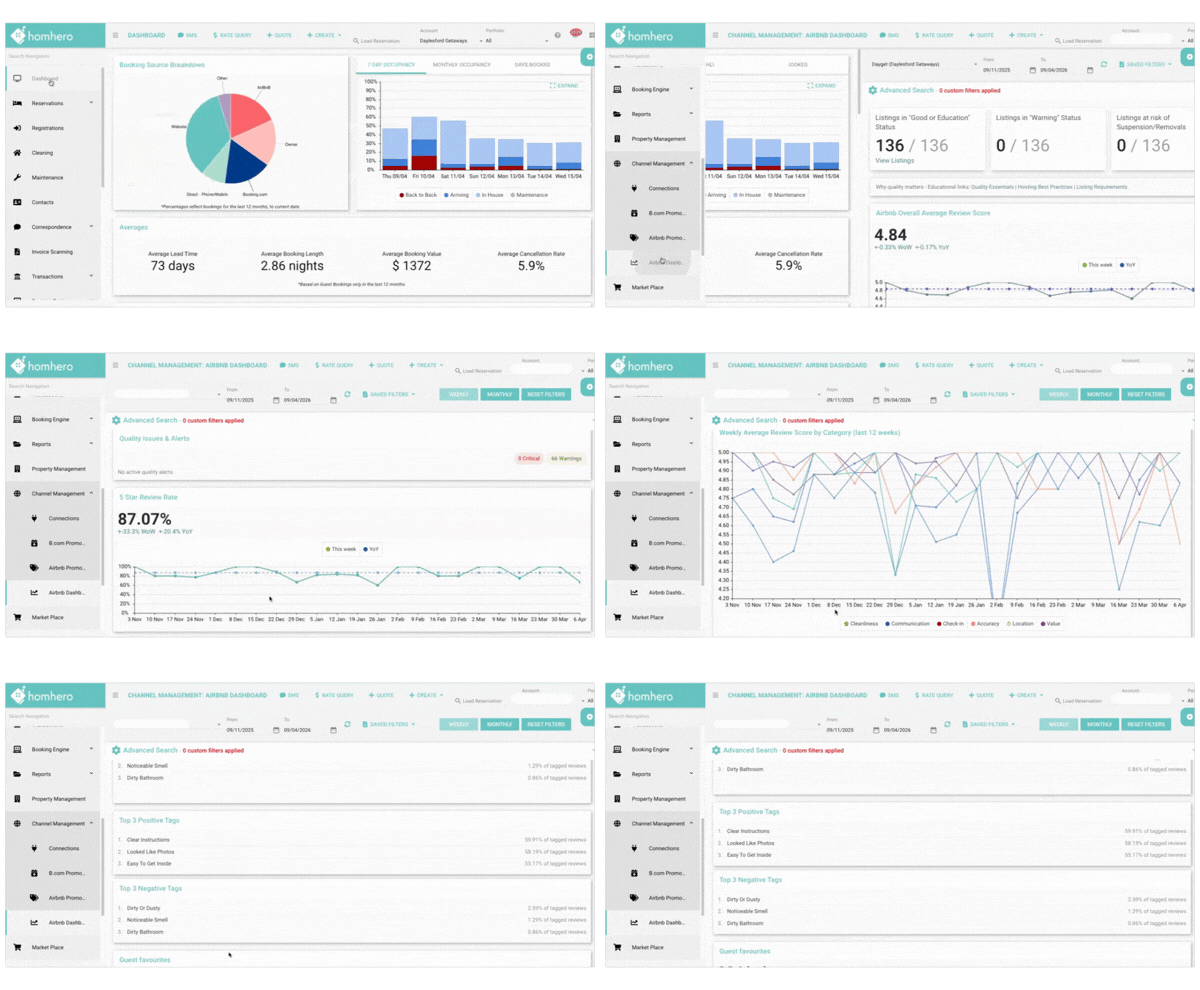
See your portfolio’s average Airbnb review score and 5-star review rate at a glance, with the ability to compare current performance year-on-year across any date range you set.
Track average scores across cleanliness, communication, check-in, accuracy, location and value, charted week by week over the last 12 weeks. Surface emerging trends in specific categories before they accumulate into a rating problem.
Your three top-performing listings by overall rating during any selected period are displayed with their listing images and performance metrics, as an internal benchmark for the rest of your portfolio.
Every listing is classified with its current Airbnb quality status (Good, Warning, At Risk or Removed) so you can prioritise which properties need attention. Time-sensitive suspension warnings are surfaced as soon as they are received from Airbnb, so your team can respond before a listing goes offline.

Website Review Widget & Auto Publishing

Collect guest reviews via a branded link and publish them to your Homhero-built property pages, with custom questions configurable per listing.

Reviews submitted through your Homhero review link can be approved and automatically published to the relevant property page on your website, keeping your social proof current without manual uploads.
Add a review widget to any page on your Homhero-built website to display accumulated guest feedback in a structured, branded format that reinforces trust with prospective bookers.
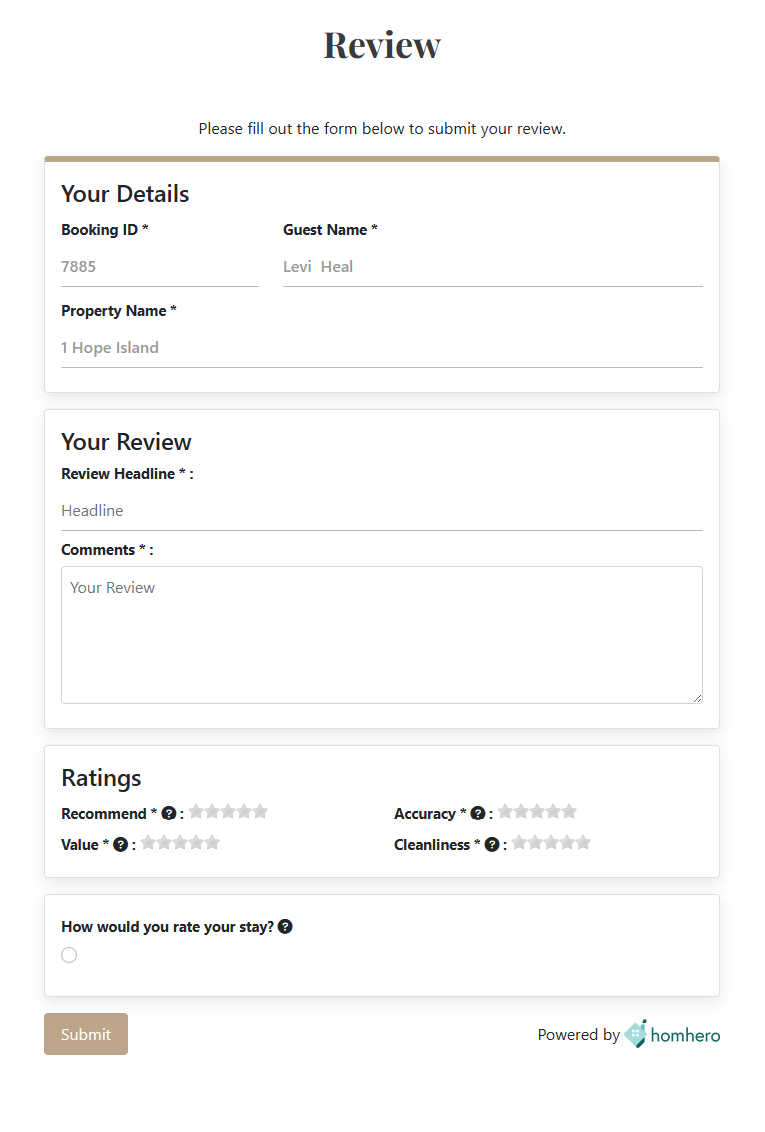
Tailor the questions that appear on your guest review link, globally across all properties or individually per listing. Choose from star ratings, written responses, checkbox selections and more to capture the feedback that matters most to your business.

Frequently Asked Questions

Can I manage Airbnb and Booking.com guest reviews from the same platform?

Yes. Homhero lets you view and respond to guest reviews from both Airbnb and Booking.com directly inside the platform, without needing to log into each channel’s interface separately. All reviews are accessible from a single global inbox, with the option to drill down to individual listing level.

How does bulk host review submission work in Homhero?

Homhero’s Bulk Submit Good Guests feature lets you review all eligible Airbnb guests in a single action using pre-configured templates. Templates support up to five rotating public and private feedback variations, AI-generated responses via the ChatGPT integration, and personalisation merge fields. Reservations flagged as Bad Guests are automatically excluded from the bulk process. Both hosts and guests have a 14-day window after checkout to submit reviews on Airbnb before the opportunity expires.

Can I automate guest review requests based on star rating?

Yes. Homhero’s correspondence schedule engine lets you trigger automated review requests a set number of days after departure, with filters that fire different messages depending on the star rating the guest left. For example, guests who leave 4 stars or above can receive a follow-up with a direct booking promo code, while lower-rated stays can route an internal alert to your team.

How do I display guest reviews on my short-term rental website?

If your direct booking website is built with Homhero, guest reviews submitted through your Homhero review link can be moderated and auto-published to the relevant property listing page. You can also embed a branded review widget on any page of your website. Review questions on the link itself are fully customisable per property.

What is the Airbnb Quality Dashboard in Homhero?

The Airbnb API Quality Dashboard inside Homhero provides a live view of how your Airbnb-connected listings are performing. It shows your portfolio’s overall review score and 5-star rate, a weekly category breakdown across cleanliness, communication, check-in, accuracy, location and value, Guest Favourites, and the quality status of every listing, flagging those at risk of suspension.

Can I stop automated review requests from being sent to difficult guests?

Yes. Homhero’s Good/Bad Guest feature lets you flag any reservation as a Bad Guest from the booking screen. That reservation can be excluded from review requests using filters in schedules, and will be automatically excluded from the bulk host review submission process.

Does Homhero support VRBO review management?

VRBO review management is currently in development and listed as coming soon in Homhero. The platform currently supports guest review management for Airbnb and Booking.com, with VRBO coverage to follow.